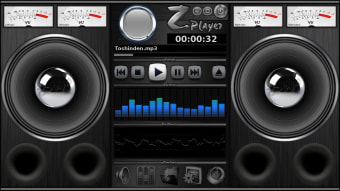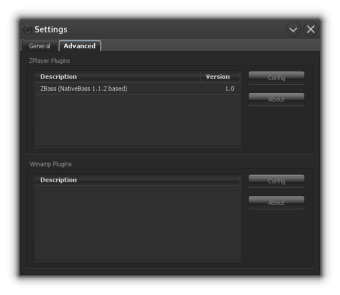
ZPlayer is a music player written in java, have a unique visual and works on Windows, Linux and MacOS.

ZPlayer is an application developed by ZSoftware that will let you play and enjoy your music. It is compatible with different types of audio files and can also improve your music experience with its media controls, which you can use to add sound effects.

Top Recommended Alternative

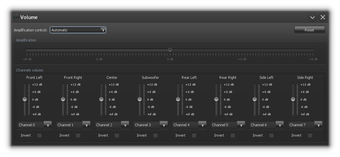
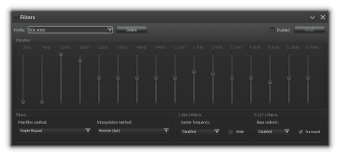
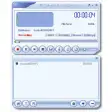
The music player can easily read and play various audio file formats aside from MP3 like OGG, MID, and even MOD files. When you upload your music in ZPlayer, all the details of the audio file will be displayed neatly. Aside from the track title, the song’s duration and artist name will also show up if it is available. The application will also allow you to do a few alterations to your music. You can play with the volume, amplification, and equalizer controls to adjust the audio the way you want it to sound. The basic media controls such as Play, Pause, and Stop can be found on the main screen, which is designed like an old-school radio. 

  • Pros

    • Unique radio-like interface
    • Is compatible with different kinds of audio files
    • Can improve audio sound
    • Easy controls
  • Cons

    • Cannot play music rendered as video files
    • Cannot convert other file formats to audio files
 0/5

App specs

  • License

    Free

  • Version

    3.7.0
  • Latest update

  • Platform

    Windows

  • OS

    Windows Vista

  • Language

    English

    Available languages

    • English
    • Portuguese
  • Downloads

    52.3K

    Last month's downloads

    • 20
  • Size

    13.43 MB

  • Developer

Program available in other languages


Icon of program: ZPlayer

ZPlayer for PC

  • Free
  • 4.2
    69
  • 52.3K
  • V3.7.0

User reviews about ZPlayer

4.2

1 reviews

Add review

Main reviews for you

  • Anonymous user

    Great, works well.. Cool, good sound quality and the look is pretty cool. Especially, I liked the redirection of the channels, is quite useful when you have a set of boxes 5.1.

More

You may also like

Alternatives to ZPlayer

Explore Apps

Latest articles

Laws concerning the use of this software vary from country to country. We do not encourage or condone the use of this program if it is in violation of these laws.
Softonic

Is ZPlayer safe?

98/100

Score result: Clean

This file passed a comprehensive security scan using VirusTotal technology. It is safe to download.

  • Virus free
  • Spyware free
  • Malware free
  • Verified by Security Partners

    VirusTotal logo

Scan Info

Last scan
Thursday, May 23, 2024
Scan provider
VirusTotal · Full report

File Integrity

File
ZPlayer_V3.7.0.exe
SHA256
d7c4f440617fe217b156e955cc462d3cab2bbda2f38823521b9808d3bfc9e603
SHA1
56e3acb91edc8c59bcf0098d293e6bd62a1bca5b

Softonic security commitment

ZPlayer has been thoroughly scanned by our advanced security systems and verified by industry-leading partners. This file comes from the official developer and has passed all our security checks, showing no signs of viruses, malware, or spyware. For more information, visit our Security and Trust Center